 bacscout
SBT field tools / Beta
bacscout
Finds every BACnet/IP device on a site, reads every point, and exports it all to one CSV. A Windows app for site surveys.
Get accessAlready on SBT Talk? Open bacscout there.
| Runs on | Windows 10 or 11. The installer needs no admin rights; a portable version installs nothing. |
|---|---|
| Network | BACnet/IP on UDP 47808, from the laptop's wired port |
| Discovery | Broadcast, a sweep of device instances, and devices added by IP address, including those behind BACnet routers |
| Reads | The common properties of every object on every device, Niagara stations included |
| Output | One CSV, one row per object, ready for Excel |
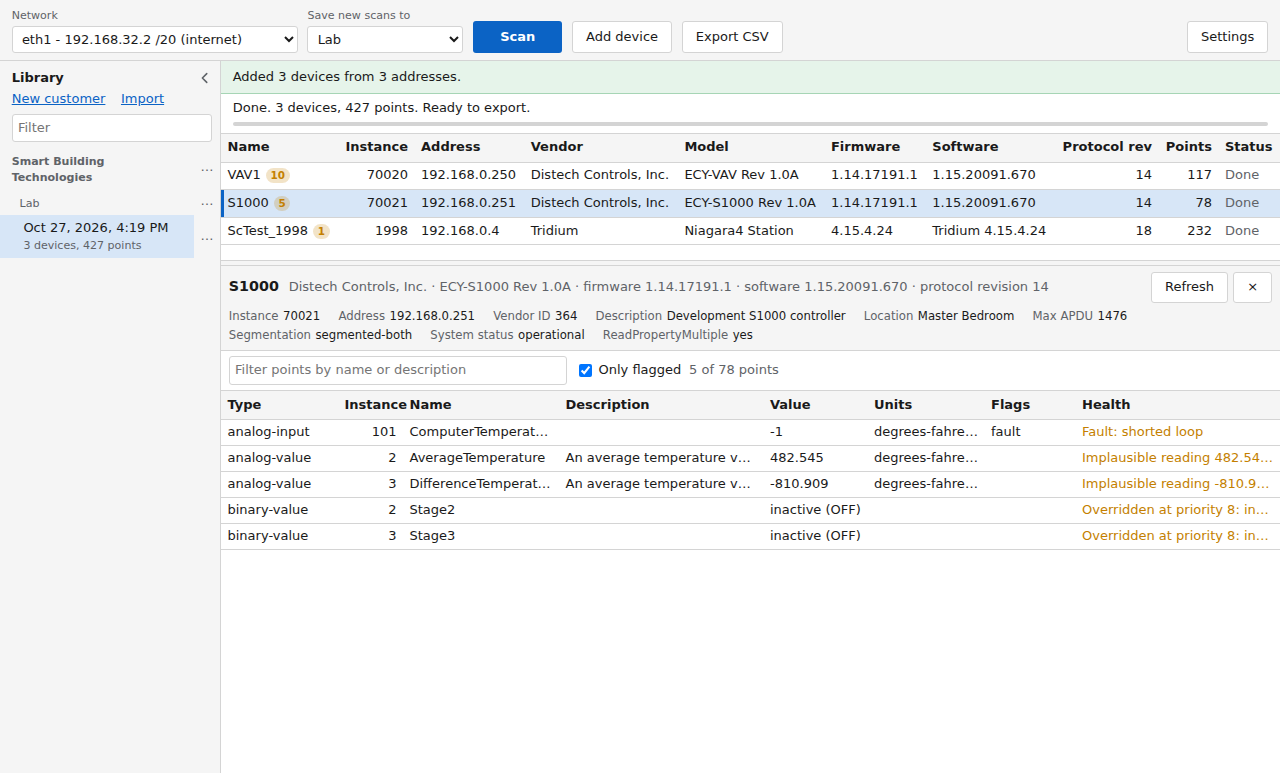
| Health checks | Fault, implausible reading, override at priority 1 to 8, out of service |
| Library | Every scan saved by customer and site; import and export |
| Writes to devices | None |
On site
A survey in four steps
-
01Plug in
Connect the laptop to a wired port on the building network.
-
02Choose
Pick that adapter in the Network list, and the site to save the scan under.
-
03Scan
Devices appear as they answer, and their points fill in as they are read.
-
04Export
One CSV for the whole site, saved where you choose.
Output
The CSV export
Export CSV writes one file for the whole site, with a row for every object, the device object included. Device columns repeat on every row, so the file filters and pivots cleanly in Excel. Turn on the health column in Settings to carry the flags into the file.
| 1 | device_name | object_type | object_instance | object_name | present_value | units | health | … |
|---|---|---|---|---|---|---|---|---|
| 2 | S1000 | device | 70021 | S1000 | … | |||
| 3 | S1000 | analog-value | 2 | AverageTemperature | 482.545 | degrees-fahrenheit | Implausible reading 482.545 (expected -60 to 250) | … |
| 4 | S1000 | binary-value | 2 | Stage2 | inactive (OFF) | Overridden at priority 8: inactive (OFF) | … | |
| 5 | S1000 | binary-value | 3 | Stage3 | inactive (OFF) | Overridden at priority 8: inactive (OFF) | … | |
| … | … | |||||||
In the app
Built for the first visit
When nobody has a points list yet, and you may not get back for a while.
Every scan kept
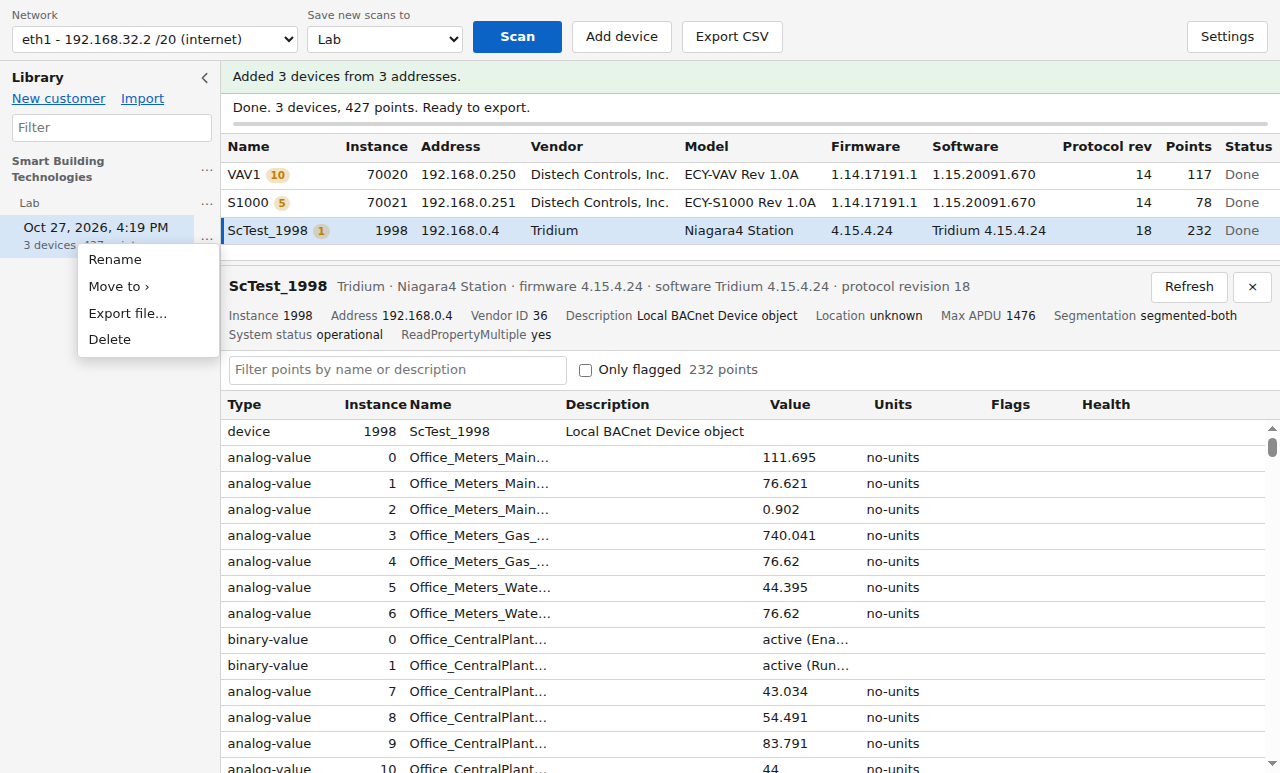
Scans save automatically, filed by customer and site. Reopen one later, refresh its devices when you are back on site, or export it to a file for a colleague to import.
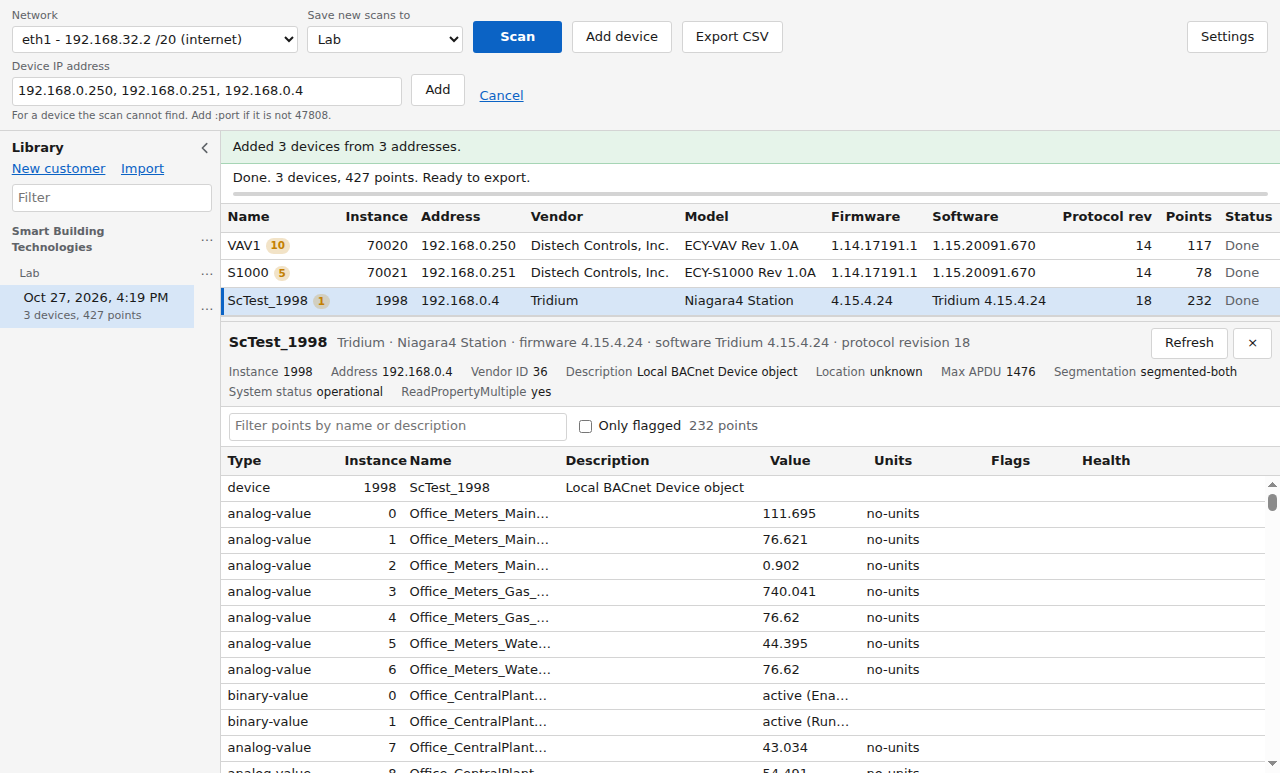
Devices the broadcast can't reach
Type an IP address, or several separated by commas, and bacscout reads the device directly, along with any devices behind a BACnet router at that address. Addresses that answered are offered next time.
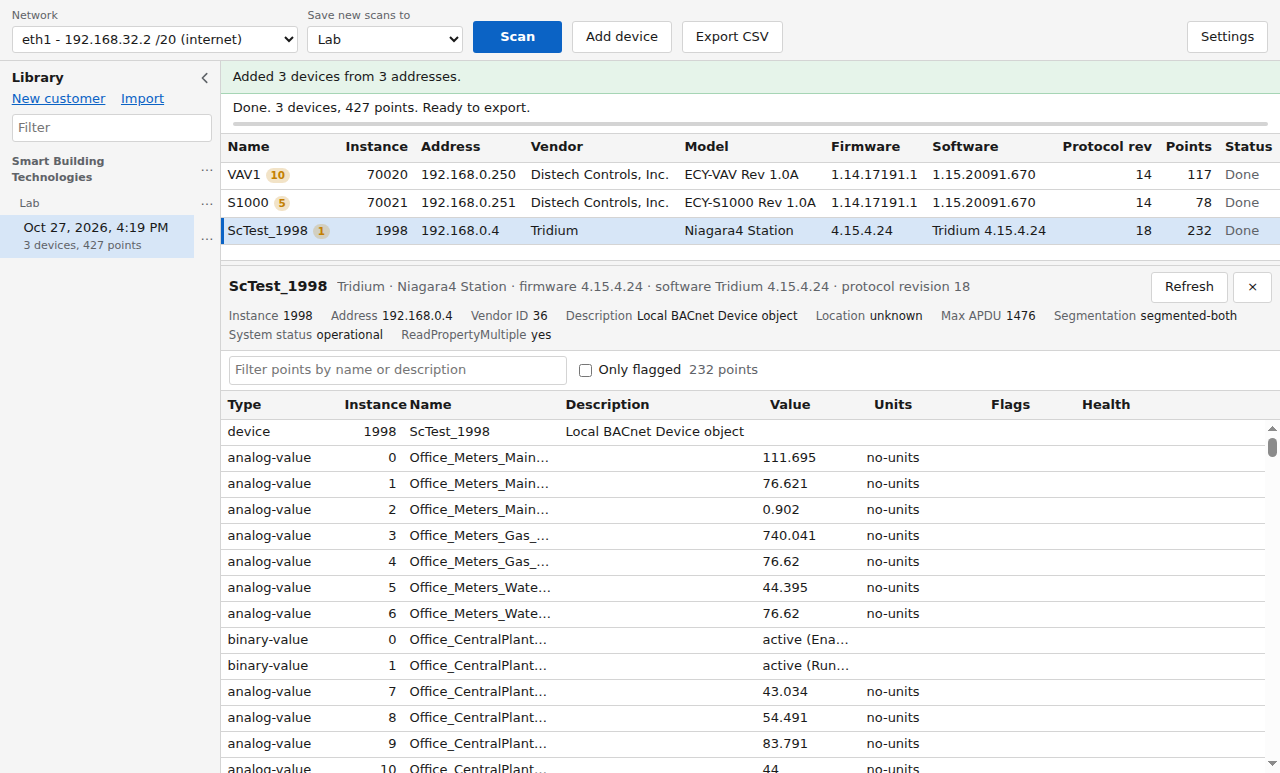
Niagara stations too
A station is read the same way as a field controller: every object it serves over BACnet, in one pass.
Access
Getting bacscout
bacscout is shared on SBT Talk, the company forum.
- Create an SBT Talk account with your work email.
- Wait for approval. Each account is approved by hand.
- Sign in and open Tools, then bacscout. The download is there, and each new version is posted there with its release notes.
Already have one? Open bacscout on SBT Talk.
Before your first scan
- Windows warningThe beta is not code-signed yet, so Windows warns about it the first time. Click More info, then Run anyway.
- Firewall promptAllow it the first time you scan, or no devices will answer. On a locked-down laptop, IT may need to allow it.
- Network listPick the adapter on the building network, usually the wired one rather than Wi-Fi.
- FeedbackIt's a beta. Report problems and ideas in the Software Development forum.